Enquiry Now


 Contact Us



 Check Out
 +44 20 4571 2395

 PRINCE2® Foundation and Practitioner Training




 Heather Buckley
 17 Feb 2010
Apple Mac Keyboard # Hashtag - Where Is It?
Using the hashtag to Tweet? Don't miss our Ultimate Guide to Social Media! We also run social media workshops in Brighton for budding social media marketers.
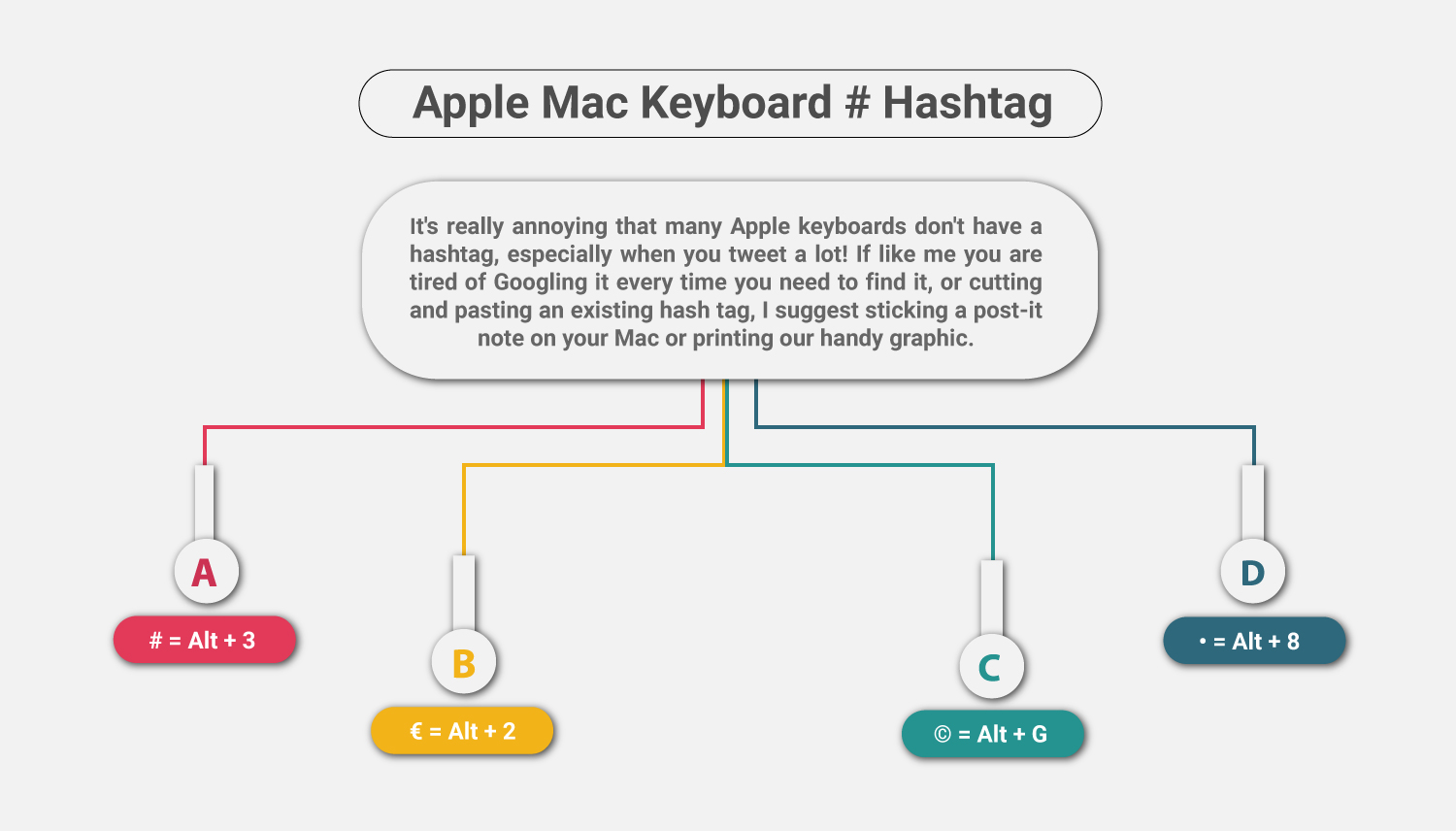
It's really annoying that many Apple keyboards don't have a hashtag, especially when you tweet a lot! If like me you are tired of Googling it every time you need to find it, or cutting and pasting an existing hashtag, I suggest sticking a post-it note on your Mac or printing our handy graphic.
Where is the Hashtag on my Apple Mac keyboard?
# = Alt + 3
€ = Alt + 2
© = Alt + G
• = Alt + 8

WAIT! Don't go away I've written a really simple and short tutorial on turning on your Special Character Viewer on Mac so even when you forget your keyboard shortcuts you can still find those elusive symbols easily. Also it's the only simple way of typing a % on a Mac.
All of you lovely Mac users may be interested in our training courses such as Google Analytics Training and SEO Training. Both are part of our SEO, Social Media and Internet Marketing Pick 'n' Mix training deal:

Assuming you're looking for the hashtag because you want to send a Tweet, you probably use other social media networks! Why not pimp your Google+ profile and customise your Facebook Timeline cover photo for eye catching results!
Posted under:
 Need Any Help?
Recent Blogs